RP2D Virtual Tabletop is a digital tabletop platform designed to bring role-playing games into an interactive online environment. Built for players and game masters who want to host sessions remotely or enhance in-person campaigns, RP2D Virtual Tabletop provides tools for map creation, character management, dice rolling, and real-time collaboration. It focuses on flexibility and ease of use, making it suitable for both beginners and experienced tabletop enthusiasts.
Gameplay Experience
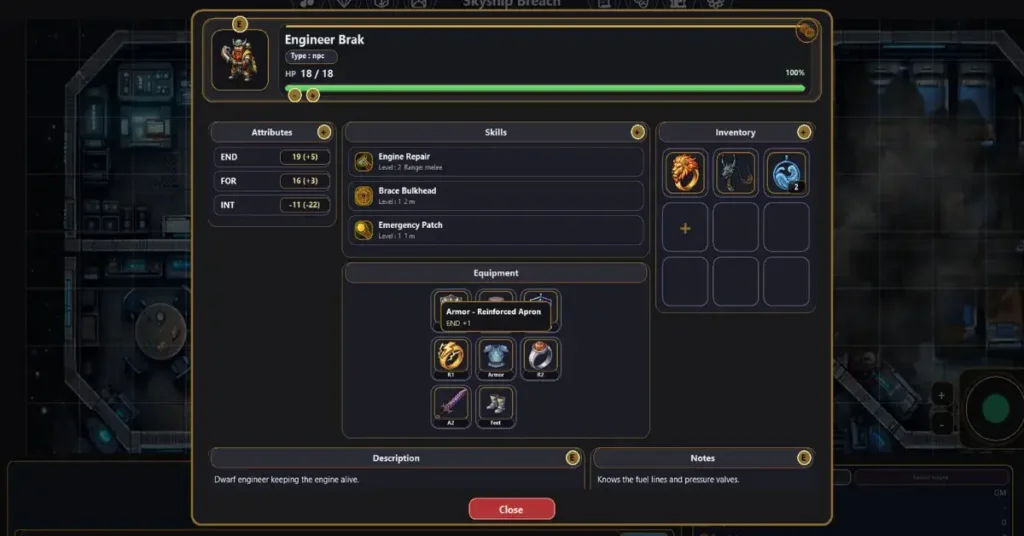
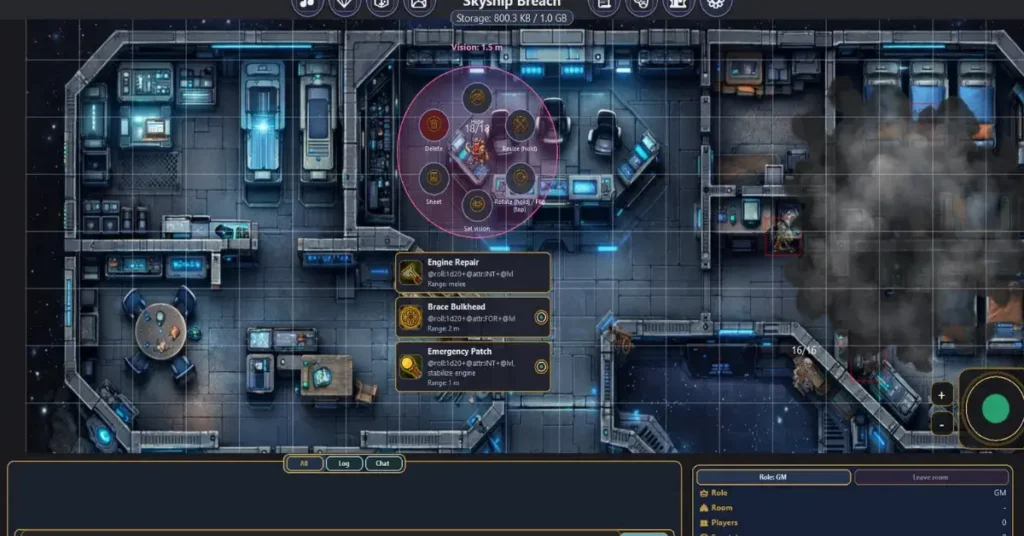
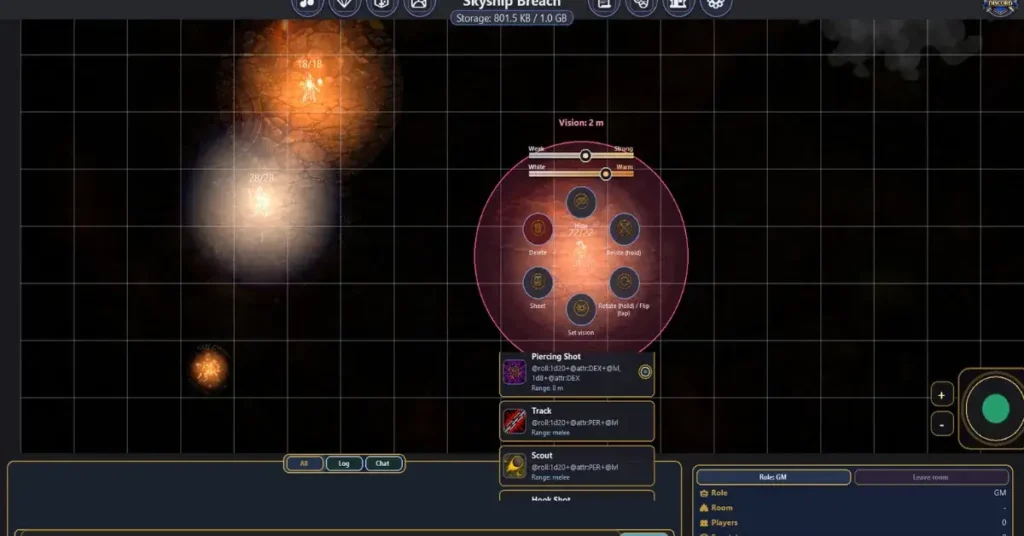
RP2D Virtual Tabletop delivers a structured yet customizable experience centered around collaborative storytelling. Players connect to shared sessions hosted by a game master, where digital maps, tokens, and character sheets are displayed in real time. Movement across the map is handled through intuitive drag-and-drop mechanics, while built-in dice systems simulate traditional tabletop rolls instantly. The platform allows game masters to control visibility, reveal areas gradually, and manage encounters smoothly. Integrated chat or voice features support communication, ensuring that storytelling and strategic planning flow naturally during sessions. The overall experience replicates the feel of a physical tabletop game while adding the convenience of digital tools.
Platform Overview
RP2D Virtual Tabletop functions as a dedicated PC application optimized for stable online sessions. It is designed to support a variety of tabletop role-playing systems rather than focusing on a single ruleset. The interface emphasizes clarity and organization, allowing users to manage maps, assets, and character information without unnecessary complexity. Whether hosting fantasy adventures, sci-fi campaigns, or custom scenarios, the platform adapts to different storytelling styles and gameplay mechanics.
Graphics and Interface Design
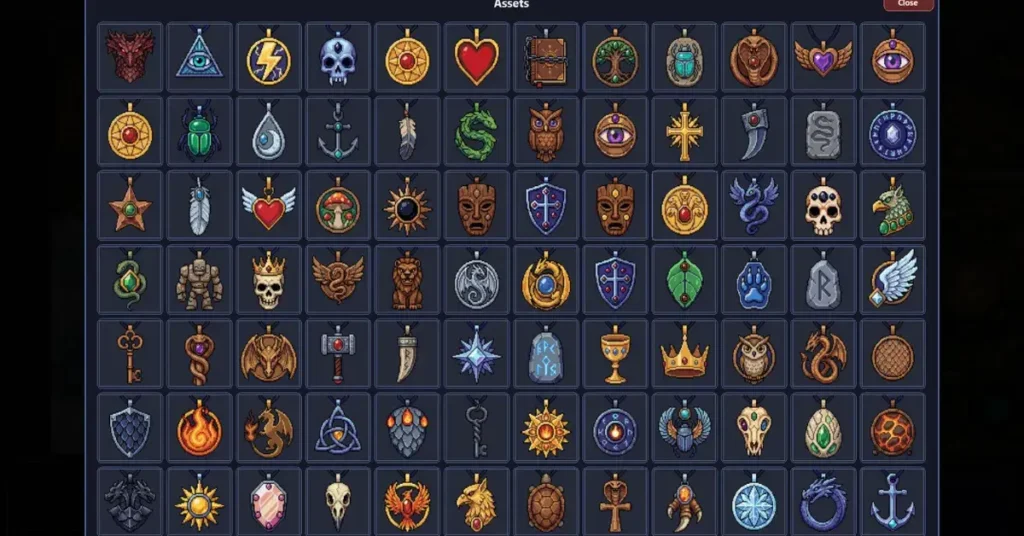
The platform features a clean and functional user interface designed to keep the focus on gameplay elements such as maps and tokens. Visual tools allow for grid overlays, fog-of-war effects, and dynamic lighting depending on the build version. Asset management systems make it easy to import maps and images, while token customization helps represent characters and non-player entities effectively. The overall design prioritizes usability and smooth interaction rather than high-end graphical effects.
Technical Specifications
RP2D Virtual Tabletop is developed for PC systems running 64-bit versions of Windows 10 or Windows 11. It is built on a modern software framework optimized for stable network connectivity and smooth performance during multiplayer sessions. The application supports keyboard and mouse input and may include optional controller compatibility depending on updates. It operates primarily as an online collaborative platform but may offer offline map editing tools. Installation is handled through digital download distribution, typically available on platforms such as Steam. The system is optimized to maintain consistent performance even during long campaign sessions with multiple connected players.
System Requirements for PC
RP2D Virtual Tabletop generally requires a modern dual-core processor equivalent to an Intel Core i3 or better, along with at least 4 GB of RAM for stable performance. For larger maps and multiple assets, 8 GB of RAM is recommended. Integrated graphics are usually sufficient, as the application focuses more on interface functionality than intensive 3D rendering. A stable internet connection is necessary for hosting or joining online sessions, and adequate storage space is required for imported maps and campaign files.
Learning and Entertainment Value
RP2D Virtual Tabletop enhances organizational and storytelling skills by providing structured tools for campaign management. Game masters can prepare encounters more efficiently, while players benefit from visual clarity and streamlined character tracking. The platform supports creativity, collaboration, and strategic thinking, making it valuable for both casual sessions and long-term campaigns.
Replayability and Long Term Engagement
Long-term engagement depends on the campaigns hosted within the platform rather than the software itself. Because RP2D Virtual Tabletop supports multiple rule systems and custom scenarios, it can be used for countless adventures. Regular updates, asset additions, and user-created content further expand its usability over time.
How to Download RP2D Virtual Tabletop on PC
To download RP2D Virtual Tabletop on PC, open a trusted digital distribution platform such as Steam and search for the official application title. Select the correct listing, begin the download process, and follow the installation instructions. After installation, launch the application, configure your session settings, and invite players to join. Always download from official sources to ensure system security and access to updates.
Why You Should Use RP2D Virtual Tabletop
RP2D Virtual Tabletop is ideal for tabletop enthusiasts who want a reliable and organized digital solution for hosting campaigns. Its flexible tools, user-friendly interface, and online connectivity make it a practical choice for both small groups and long-term gaming communities. If you are looking for a PC-based virtual tabletop platform that supports immersive storytelling and collaborative gameplay, RP2D Virtual Tabletop provides a structured and efficient solution.