
If you enjoy relaxing simulation games that let you design, decorate, and manage spaces, Hozy is a game you should definitely try. This cozy-style simulation game focuses on creativity, comfort, and building beautiful living environments. Unlike fast-paced action games, Hozy gives players a calm experience where they can take their time designing rooms, organizing furniture, and creating their dream home.
The gameplay is simple but satisfying. Players start with an empty or messy room and slowly transform it into a beautiful living space. You can place furniture, paint walls, add decorations, and organize items to create a cozy environment.
This type of gameplay has become very popular because many players enjoy calm games that reduce stress after a long day. Hozy offers that exact experience.

Game Information
Title: Hozy
Genre: Simulation, Casual, Design
Release Date: 2026
Game Mode: Single Player
File Size: Approx. 2–4 GB
Developer: Cozy Simulation Studio
Platform: PC (Windows)
Gameplay Overview
The gameplay of Hozy is focused on interior design and renovation. Each level or project gives you a room or house that needs improvement.
Your tasks usually include:
- Cleaning the space
- Removing old furniture
- Painting walls and floors
- Placing new furniture
- Decorating with accessories
Players earn rewards after completing design tasks, which can be used to unlock more furniture and decoration items.
The best part about Hozy is the freedom it offers. You can experiment with different design styles such as:
- Minimalist design
- Modern interior
- Vintage decoration
- Cozy cottage style
This makes every room feel unique and personal.
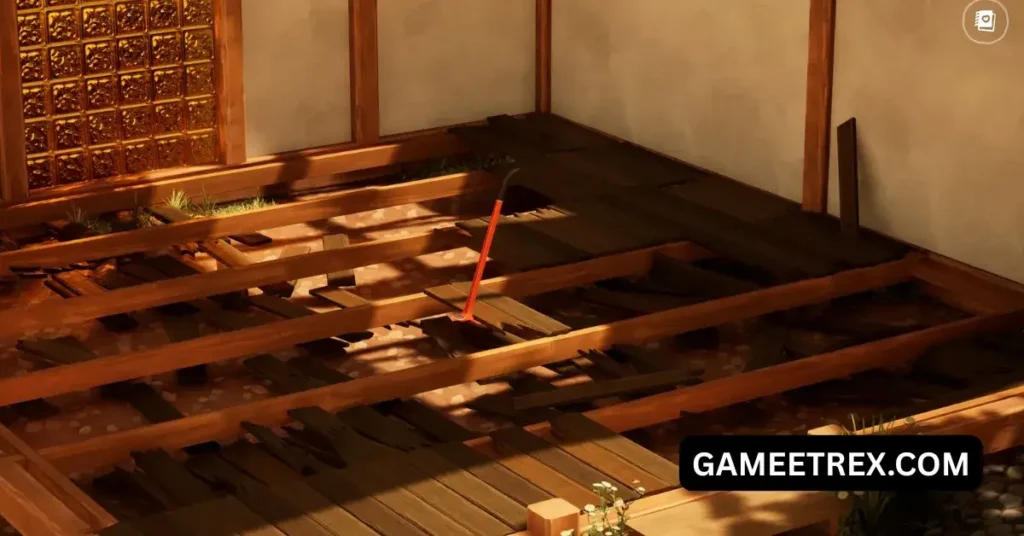
Key Features of Hozy
1. Relaxing Gameplay
Hozy is designed to be calm and stress-free. There are no enemies or time pressure. You can take your time designing rooms exactly how you want.
2. Large Furniture Collection
The game includes a wide variety of furniture items such as:
- Beds
- Sofas
- Tables
- Chairs
- Lamps
- Bookshelves
- Rugs
Each item comes in different colors and styles.

3. Beautiful Visual Design
Hozy features soft lighting and warm environments that create a comfortable atmosphere. The art style focuses on cozy interiors and natural colors.
4. Creative Freedom
Players are not limited to one design style. You can experiment with multiple layouts and decoration ideas.
5. Progressive Unlock System
As you complete more design projects, you unlock new items and tools that allow you to create even better spaces.
6. Easy Controls
The controls are simple and beginner friendly. Even players who are new to simulation games can easily understand the mechanics.
7. Multiple Rooms and Houses
Instead of designing just one room, Hozy lets players work on multiple locations including:
- Bedrooms
- Living rooms
- Kitchens
- Studios
- Small apartments
Each project offers different challenges.

Why Players Love Hozy
There are many reasons why Hozy is gaining popularity among simulation game fans.
First, the game offers a peaceful experience compared to competitive or action games. Many players use it as a relaxing activity.
Second, Hozy encourages creativity. Every player can create unique room designs based on their personal taste.
Third, the game is visually pleasing. The cozy aesthetic makes players feel comfortable while playing.
Finally, Hozy is easy to play but still rewarding. Completing a room transformation gives a strong sense of satisfaction.
System Requirements
Before downloading Hozy for PC, make sure your computer meets the minimum system requirements.
Minimum Requirements
- Operating System: Windows 10 (64-bit)
- Processor: Intel Core i3 or equivalent
- RAM: 4 GB
- Graphics: Intel HD Graphics or similar
- Storage: 5 GB available space
Recommended Requirements
- Operating System: Windows 10 / Windows 11
- Processor: Intel Core i5 or better
- RAM: 8 GB
- Graphics: NVIDIA GTX 1050 or higher
- Storage: 8 GB available space
Meeting the recommended requirements will ensure smoother gameplay and better graphics.
How to Download Hozy for PC
Follow these simple steps to download and install Hozy on your computer.
Step 1: Find a Reliable Game Source
Search for a trusted website that provides the Hozy PC download version.
Step 2: Download the Game File
Click the download button and wait for the game setup file to finish downloading.
Step 3: Extract the Files
If the game is compressed (ZIP or RAR), use extraction software such as WinRAR or 7-Zip.
Step 4: Run the Setup
Open the setup file and start the installation process.
Step 5: Install the Game
Follow the installation instructions and choose your preferred installation folder.
Step 6: Launch the Game
After installation is complete, open the game from the desktop shortcut and start playing.
Tips for New Players
If you are starting Hozy for the first time, these tips can help you create better designs.
Start Simple
Focus on basic furniture placement before adding decorations.
Use Matching Colors
Choosing matching colors for furniture and walls creates a more attractive room.
Experiment with Layouts
Try different furniture arrangements until the room looks balanced.
Unlock New Items
Complete more projects to unlock better decoration options.
Advantages of Playing Hozy on PC
Playing Hozy on a PC offers several benefits compared to other platforms.
Better Graphics
PC hardware allows higher resolution and smoother visuals.
Easy Controls
Mouse and keyboard controls make furniture placement more precise.
Large Screen Experience
Designing rooms on a bigger screen makes it easier to see details.
Stable Performance
PC versions usually run more smoothly than mobile versions.
Common Installation Issues
Some players may face problems when installing the game. Here are a few common issues and solutions.
Game Not Launching
Update your graphics drivers and restart the system.
Missing DLL Files
Install the required DirectX and Visual C++ packages.
Slow Performance
Lower the graphics settings in the game options.